Register
Before using InkCop’s AI features, you need to create an account and activate a subscription.
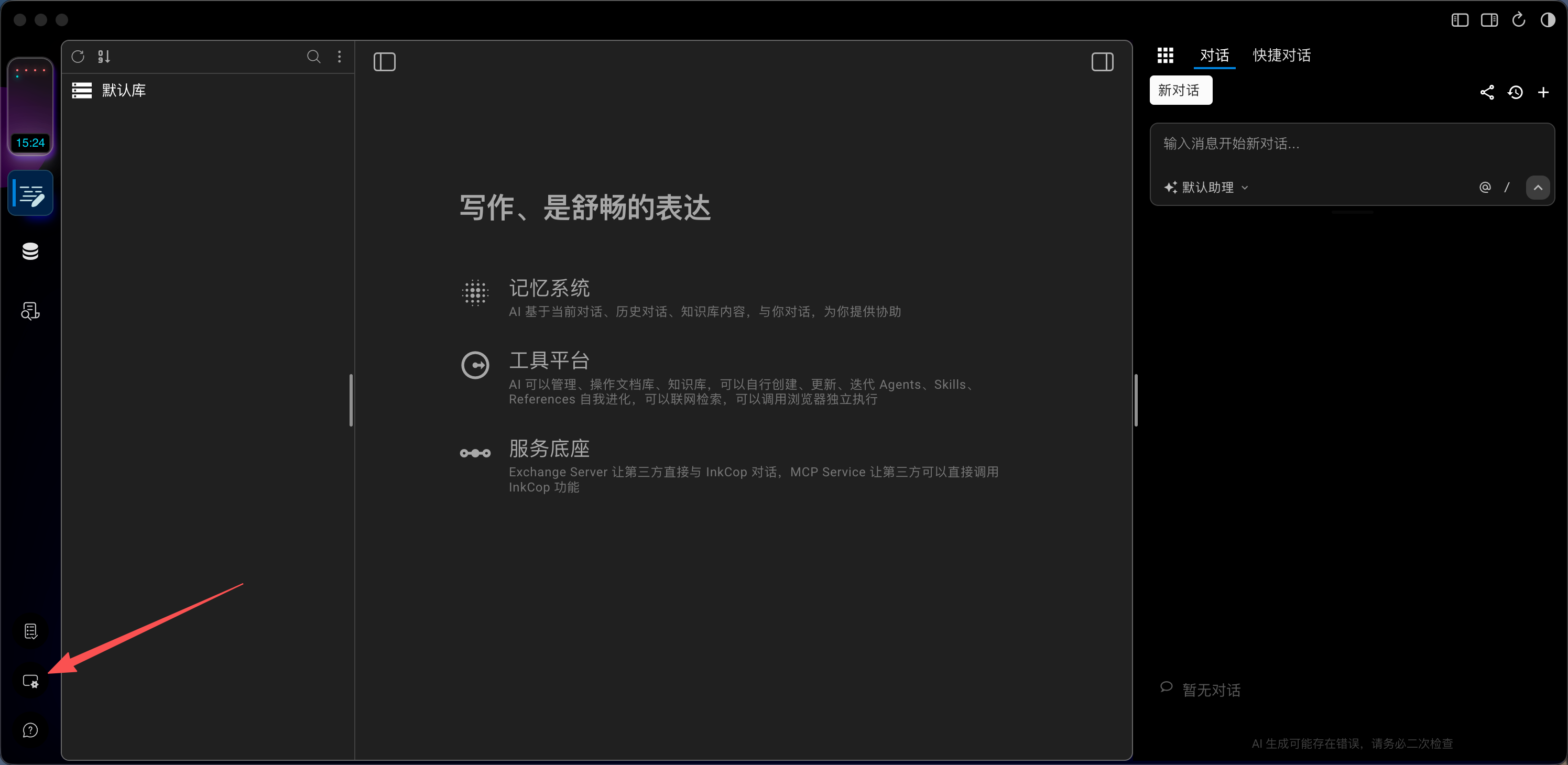
Step 1: After launching the app, click the “Settings” button in the bottom-right corner.
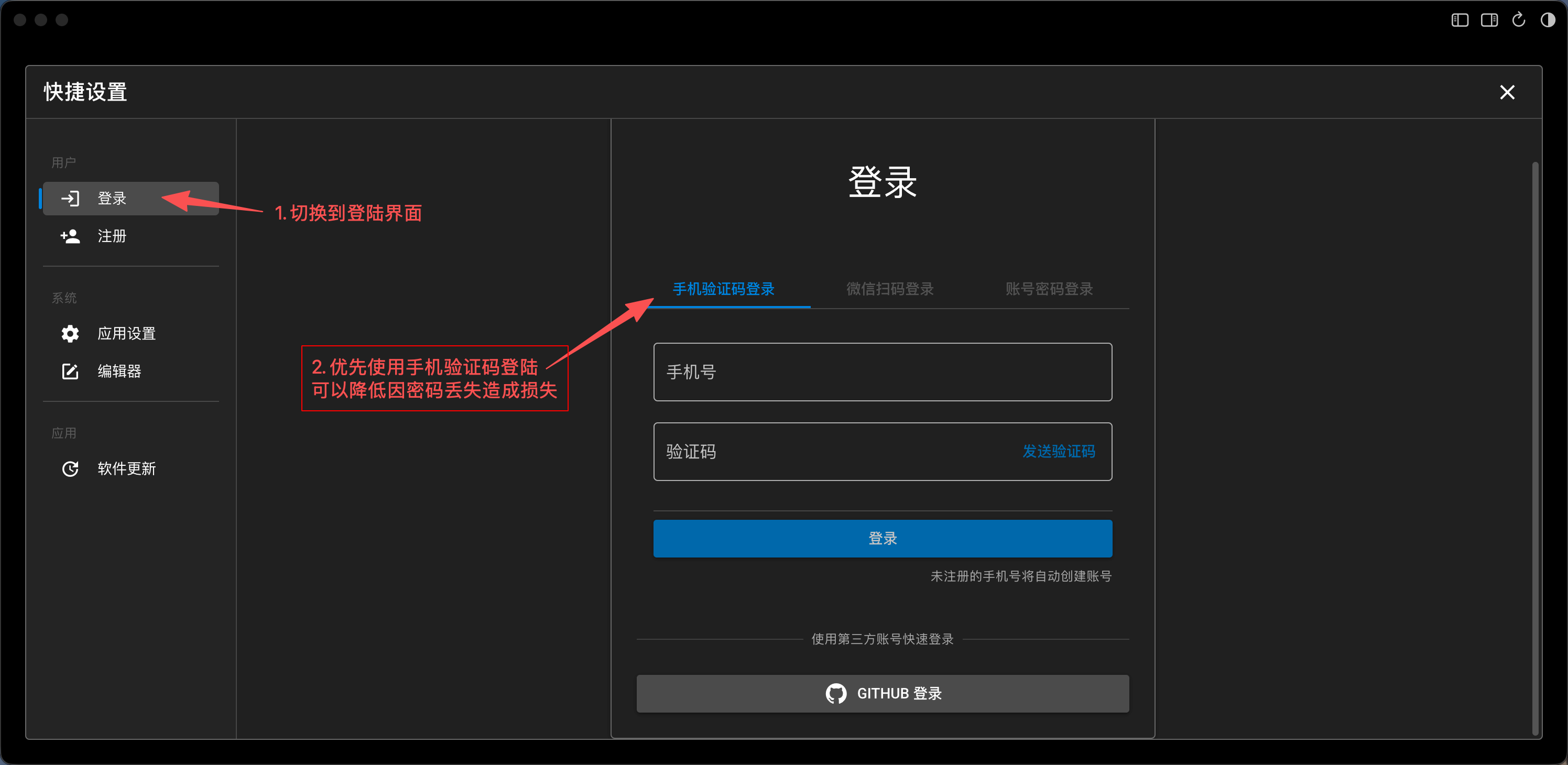
Step 2: Switch to the “Login” tab and use “Phone Verification Code” to sign in.
Using a phone verification code reduces the risk of password leaks. Since activating a subscription requires a verified phone number, signing in with your phone here saves you the extra binding step later.
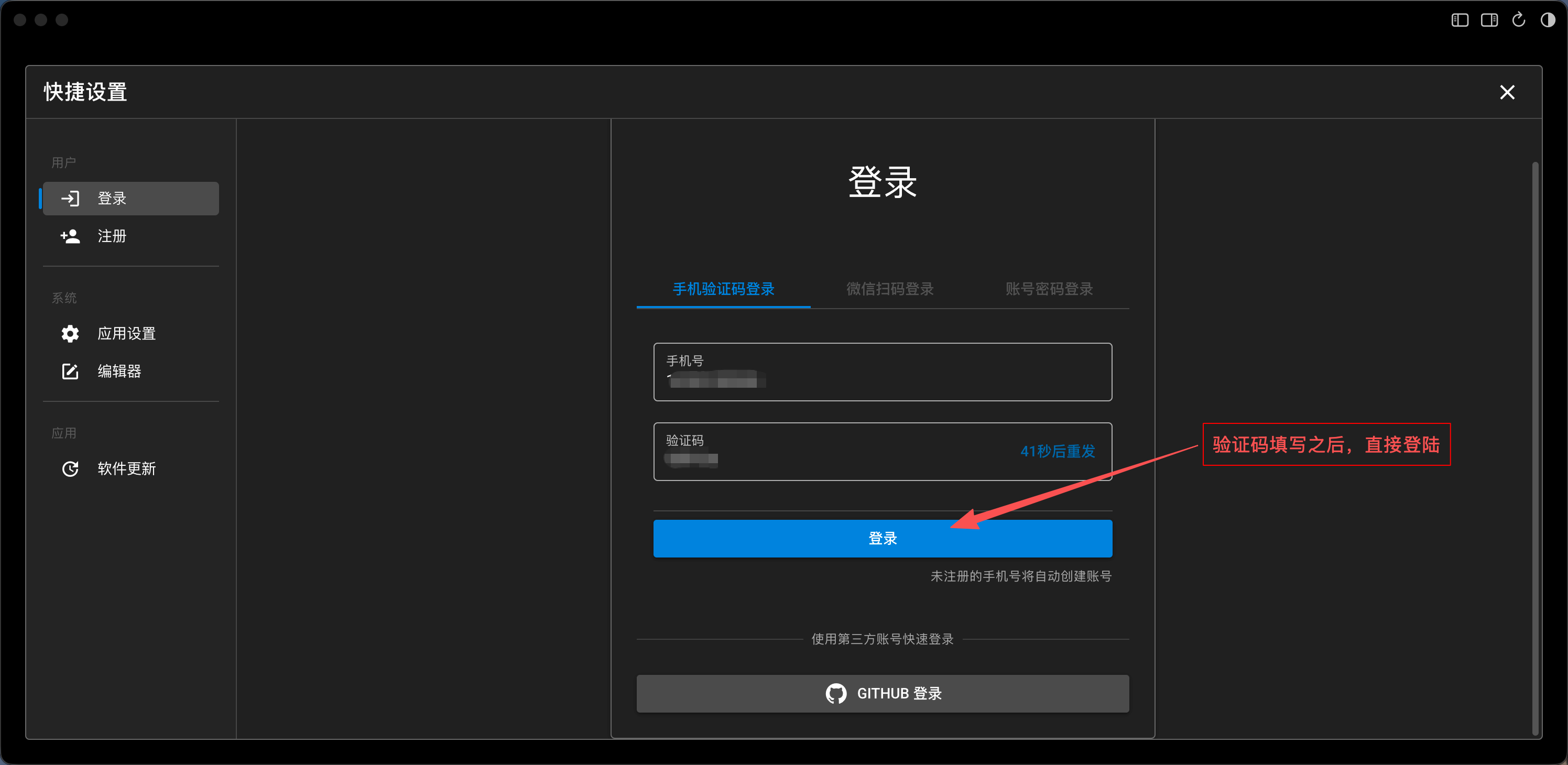
Step 3: Enter your phone number, request a verification code, fill it in, and log in directly.
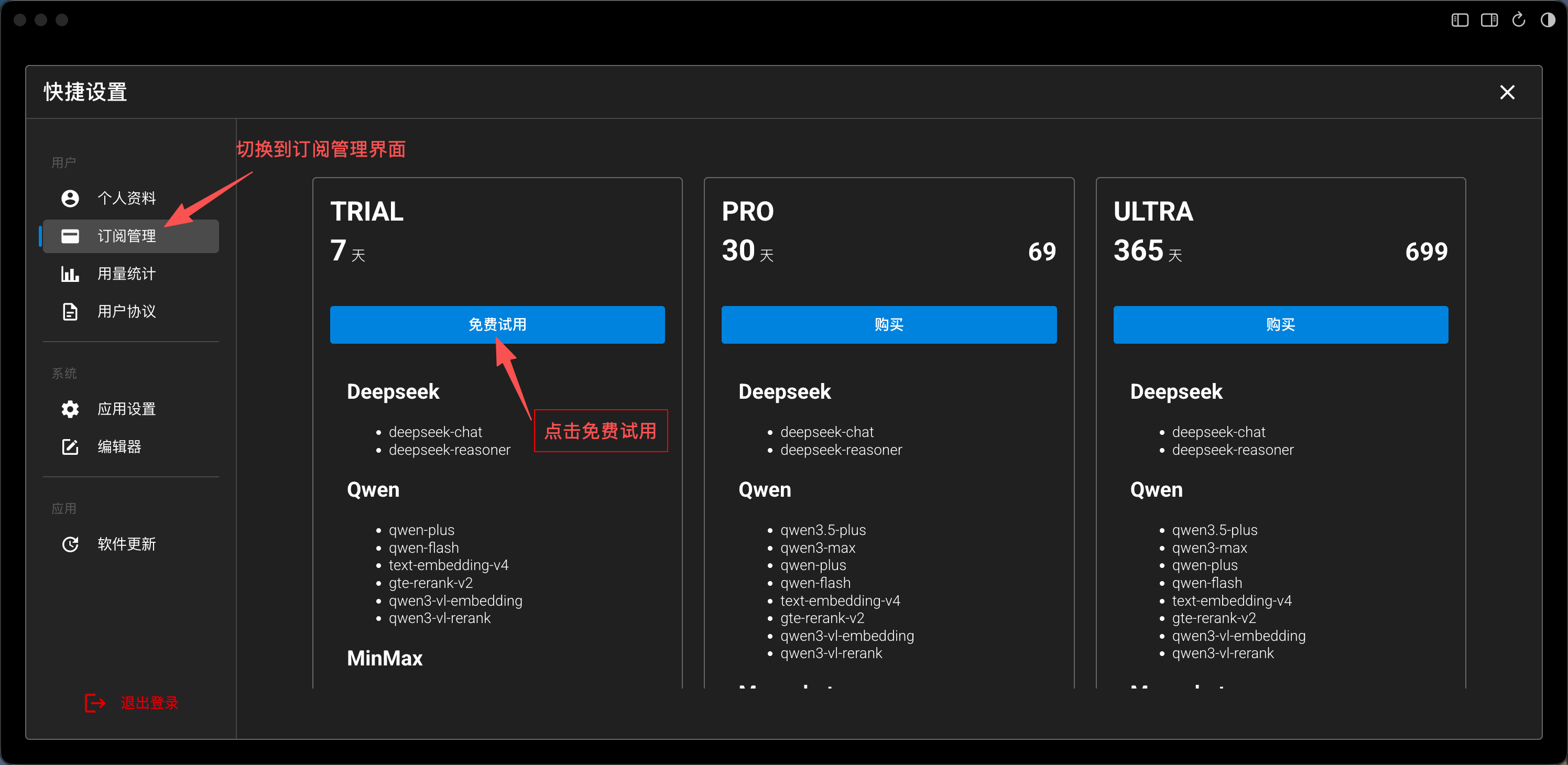
Step 4: Activate the “Trial” subscription.
The trial period is 7 days and is completely free.
Your account is not bound to any specific device — you can log in on any number of devices. However, usage is deducted from your subscription. If you log in on a public device, make sure to log out and delete your private data promptly.